

Fonts are like the icing on the cake when it comes to design. They can make or break your project, setting the tone and conveying your message effectively. And while Canva offers a wide range of beautiful fonts to choose from, sometimes you want to take your design to the next level. Enter the font shadow effect. In this article, we will explore how to use Canva font shadow effectively to add depth and dimension to your designs, making them stand out from the crowd. Let’s dive in!
Contents
- Choosing the Right Font for Shadow
- Creating Depth with Layered Shadows
- Adjusting Shadow Opacity and Blur
- Utilizing Color to Enhance Shadows
- Positioning Shadows for Emphasis
- Using Shadow Effects Sparingly for a Polished Look
- Experimenting with Different Shadow Styles
- Frequently Asked Questions
- Closing Remarks
Choosing the Right Font for Shadow
When selecting a font for a shadow effect, it’s essential to consider the readability and overall aesthetic appeal of the design. Opting for a bold and clean font can enhance the visibility of the shadow while maintaining legibility. Fonts with defined edges and distinct characters tend to work well for shadow effects, as they create a clear distinction between the text and its shadow.
Another crucial factor to keep in mind is the size of the font. Choosing a font size that is large enough to showcase the shadow effect effectively without overshadowing the text itself is key. Experimenting with different font sizes can help you find the perfect balance between the text and its shadow, ensuring that both elements complement each other harmoniously. Additionally, consider how the font style interacts with the shadow – whether it enhances the depth and dimensionality of the design or detracts from its overall impact.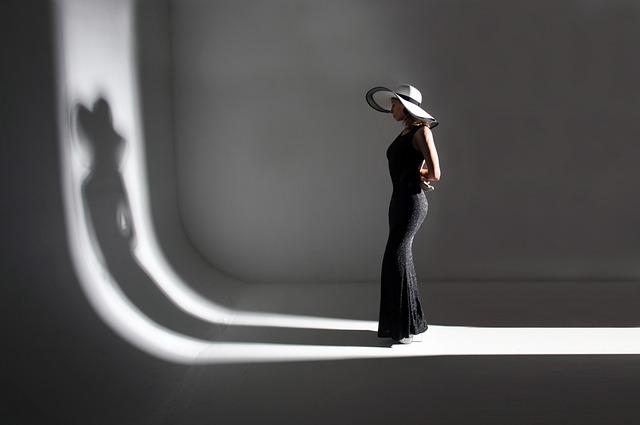
Creating Depth with Layered Shadows
One way to enhance the depth of your designs is by incorporating layered shadows. By strategically placing shadows at different distances from the main subject, you can create a sense of dimension and make your designs more visually engaging. To achieve this effect, consider the following techniques:
- Use multiple layers of shadows with varying opacities to simulate different levels of light and darkness.
- Experiment with different blending modes to create unique shadow effects that add a dynamic look to your designs.
- Play around with the direction of the shadows to mimic the way light would naturally fall on the subject, adding realism to your design.
Layered shadows can be a powerful tool for creating depth in your designs. By mastering the art of shadow placement and manipulation, you can take your designs to the next level and captivate your audience with visually stunning compositions. So don’t be afraid to experiment with different shadow techniques and see how they can transform your designs from flat to fabulous!
Adjusting Shadow Opacity and Blur
When , it is important to achieve a balanced and natural effect to enhance the overall look of your design. By mastering these two elements, you can create shadows that seamlessly blend with your content, creating a polished and professional finish.
To adjust shadow opacity, you can use the opacity property in your CSS code. By setting the opacity to a lower value, such as 0.5 or 0.7, you can create subtle shadows that add depth without overpowering the design. Experiment with different opacity levels to find the perfect balance that complements your content. Additionally, adjusting the blur effect of your shadows can further enhance their appearance. By using the blur-radius property, you can soften the edges of the shadow, creating a more realistic and natural look. Play around with different blur values to achieve the desired level of softness for your shadows.
Utilizing Color to Enhance Shadows
When it comes to enhancing shadows in your artwork or photography, utilizing color can make a significant impact on the overall visual effect. By strategically selecting the right colors to complement the shadows, you can create a more dynamic and visually appealing composition. One technique is to use complementary colors to add depth and dimension to the shadows. For example, if your shadows have a cool tone, incorporating a warm color can create a striking contrast that makes the shadows pop.
Another way to enhance shadows through color is to play with saturation and intensity. By adjusting the saturation levels of the colors in your composition, you can create a more vibrant and dynamic look. Increasing the saturation of the shadows themselves can make them appear richer and more defined. Additionally, experimenting with different color intensities can help create a sense of mood and atmosphere in your artwork, making the shadows more impactful and engaging.

Positioning Shadows for Emphasis
When it comes to creating impactful designs, the positioning of shadows can play a crucial role in drawing attention to specific elements. By strategically placing shadows, you can add depth and dimension to your designs, making certain elements stand out and capturing the viewer’s attention.
To emphasize a particular element in your design, consider the following tips:
- Use a light source to determine the direction of the shadows.
- Adjust the angle of the light source to create dramatic effects.
- Experiment with the size and blur of the shadow to achieve the desired emphasis.
By taking the time to carefully position shadows in your designs, you can elevate the overall visual impact and create a more engaging and dynamic composition. Don’t be afraid to play around with different shadow placements to see what works best for your design.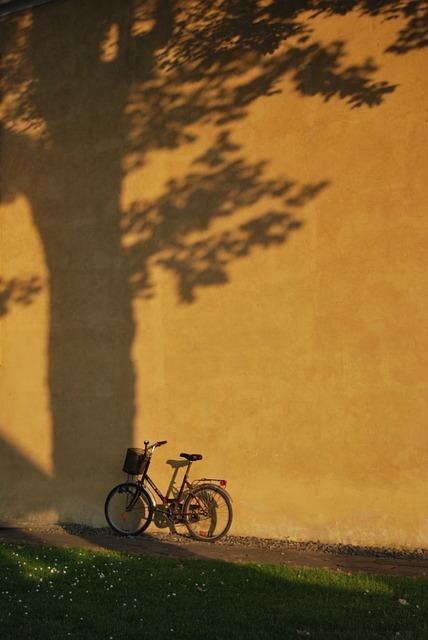
Using Shadow Effects Sparingly for a Polished Look
When it comes to adding shadow effects to your designs, less is often more. By using shadow effects sparingly, you can achieve a polished and professional look that doesn’t overwhelm the viewer. One key tip is to prioritize subtlety – aim for shadows that are barely noticeable but still add depth and dimension to your design.
To achieve a polished look with shadow effects, consider the following guidelines:
- Keep it light: Opt for shadows that are soft and subtle rather than harsh and dark.
- Focus on realism: Shadows should mimic real life, so consider the light source in your design and place shadows accordingly.
- Use shadow sparingly: Less is more when it comes to shadow effects. Only add shadows where they are truly necessary to enhance the design.

Experimenting with Different Shadow Styles
In the world of graphic design, shadows play a crucial role in creating depth and dimension to your designs. can completely transform the look and feel of your project. By exploring various shadow techniques, you can add a unique touch to your designs and make them stand out.
One popular shadow style is the drop shadow, which creates the illusion that the object is floating above the background. Another option is the inner shadow, which adds depth to the inside edges of an object. By playing around with the distance, size, and angle of the shadow, you can achieve different effects and create a more dynamic composition. Don’t be afraid to mix and match different shadow styles to find the perfect combination that suits your design aesthetic.
Frequently Asked Questions
Q: What is a font shadow?
A: A font shadow is a visual effect that creates the illusion of depth by adding a shadow behind text.
Q: How can Canva users effectively use font shadow?
A: Canva users can effectively use font shadow by choosing the right shadow color, adjusting the shadow opacity and blur, and placing the shadow in a way that enhances the text.
Q: What are some tips for using font shadow in Canva?
A: Some tips for using font shadow in Canva include using a subtle shadow effect, avoiding overly bright or contrasting colors, and experimenting with different shadow settings to find the best effect for your design.
Q: Can font shadow be used for all types of text?
A: Font shadow can be used for various types of text, but it is important to consider the readability and legibility of the text when applying a shadow effect.
Q: How can font shadow enhance a design?
A: Font shadow can enhance a design by adding depth, visual interest, and a sense of dimension to text, making it more visually appealing and engaging for the viewer.
Closing Remarks
In conclusion, using Canva font shadow can add depth and emphasis to your designs. Experiment with different settings to find what works best for you!
